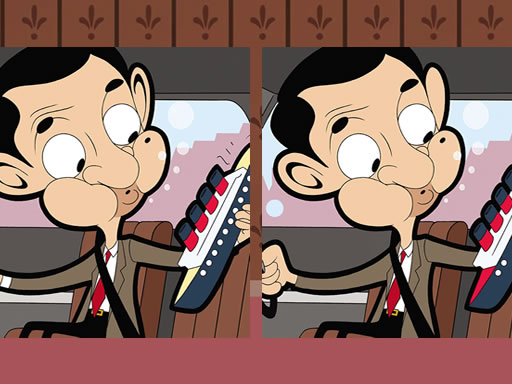
Mr. Bean Find Differences Puzzle
Review
Mr. Bean Find the Differences delivers a polished spot-the-difference experience with 30 levels and a gentle timer. The puzzles are well-designed, requiring careful observation without being frustrating. The hint system is helpful, and the progress tracking encourages replay. It is a wholesome game that improves focus and provides consistent entertainment for all ages.
About This Game
Game Introduction
Mr. Bean Find the Differences is a charming puzzle game featuring the beloved character Mr. Bean. The core objective is to spot subtle differences between two nearly identical pictures. This classic spot-the-difference format is presented with whimsical artwork, offering a relaxing yet engaging experience for players of all ages. The game combines entertainment with cognitive benefits, making it suitable for family game time or solo relaxation.
How to Play
Players begin by selecting a level, then view two pictures side by side. The goal is to carefully examine both images and tap or click on the area where a difference is spotted. Each correct find is marked, and players must locate all seven differences to complete the level. A timer adds a gentle challenge, encouraging faster play. A hint feature is available to reveal one difference if needed. The controls are simple and responsive, making it easy for anyone to pick up and play.
Game Features
This game includes 30 levels with 7 differences each, offering hours of puzzle-solving fun. Timed challenges add extra excitement. The content is family-friendly and suitable for all ages. Educational benefits include improved observation and concentration skills. Simple tap or click controls make it accessible. A hint system assists when stuck. Progress is tracked across sessions, allowing players to return to unfinished levels. Colorful and engaging artwork featuring Mr. Bean enhances the experience.
Tips for Success
To improve your skills, practice regularly to sharpen your observation abilities. Start with earlier levels to build confidence before tackling harder ones. Use the hint feature sparingly to maximize the challenge. Take breaks if you feel stuck, as a fresh perspective often helps. Focus on one section of the image at a time, comparing details systematically. With patience and practice, you will become faster and more accurate at spotting differences.