Upward Ball Jumping Arcade
Review
Only Up Balls Jumping Game is a clean arcade platformer that rewards careful timing and practice. The four difficulty levels offer a clear progression, and the two-player mode adds cooperative fun. Collecting coins and diamonds to unlock new balls and hats gives a satisfying sense of achievement. The game is easy to pick up but offers enough challenge to keep you coming back for better scores and more stars.
About This Game
Game Introduction
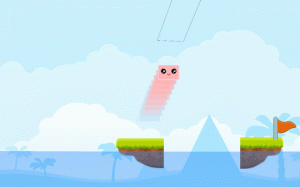
Only Up Balls Jumping Game is an exciting arcade adventure where you control a ball as it jumps from track to track, climbing higher on each platform. The game offers four difficulty sections: Noob, Pro, Hacker, and Extreme. Beginners start in Noob to learn the basic jumping mechanics, while experienced players can test their precision in Pro and Hacker. The Extreme section pushes your timing and control to the limit. You can play alone or with a second player, making it a fun shared challenge. Along the way, collect coins and diamonds to unlock customization items like different balls, hats, and tail particles. The goal is to complete every section with three stars, earning rewards that let you personalize your ball.
How to Play
Player 1 uses W, A, S, D or the arrow keys to move, the spacebar to jump, and R to respawn. Player 2 uses the arrow keys to move, K to jump, and L to respawn. Your objective is to jump from track to track, moving upward on each platform. Avoid falling off the edges. If you fall, use the respawn key to restart from a safe point. Collect coins and diamonds scattered along the paths to increase your score and unlock new items. The game keeps track of your stars for each section, encouraging you to improve your performance.
Game Features
Fun ball jumping mechanics that are easy to learn but hard to master. Multiple difficulty levels provide a gradual challenge. Single-player and two-player modes let you play alone or with a friend. Earn coins and diamonds to unlock balls, hats, and tail particles. Each section can be completed with up to three stars for replay value.
Tips for Success
Start with the Noob difficulty to get comfortable with the jumping controls and timing. Practice precise jumps to avoid falling off edges, as each fall costs time. Collect as many coins and diamonds as you can to unlock customization items that make the game more enjoyable. If playing with a friend, coordinate your jumps to help each other progress. Focus on completing each section with three stars to maximize your rewards and unlock all customization options.