Colorful Sprunki Art Studio

Colorful Sprunki Art Studio

Developer: Snow Current Labs
Updated: 2026-07-20
Casual , Kids , Drawing , Coloring , Creative
Advertisement

Review

Colorful Sprunki Art Studio succeeds by removing all the usual distractions. There are no timers, no leaderboards, and no prompts to buy anything. What remains is a clean, responsive canvas where users of any age can focus on color selection and fine motor control. The regular addition of new artwork prevents the library from feeling stale, while the offline capability means a session can continue even when connectivity drops. It is a thoughtful, well-executed tool for relaxation and shared creative play.

Faq

Is Colorful Sprunki Art Studio free to use?
Yes, the studio is completely free. There are no hidden fees, subscriptions, or in-app purchases. All coloring pages and tools are accessible from the moment you open the site.
Can I use this on a tablet or phone?
Absolutely. The application works in any modern web browser on desktops, laptops, tablets, and smartphones. Touch input is fully supported, making it easy to color with fingers or a stylus.
Do I need to create an account to save my artwork?
No account is required. The save function stores images directly to your device or browser storage. You can keep a personal collection without sharing any personal information.
How often are new coloring pages added?
New artwork is introduced on a regular schedule, typically every few weeks. The team behind the studio produces fresh scenes and characters to keep the library varied and interesting.
Is there any way to print the finished coloring pages?
Yes, completed images can be printed directly from the gallery view. The print function preserves the colors and layout, allowing you to display physical copies or give them as gifts.
Does the studio work without an internet connection?
After the initial page load, the core coloring tools and any previously opened pages remain functional offline. New pages require an internet connection to download, but existing work can continue uninterrupted.

About This Game

Getting Started with Color

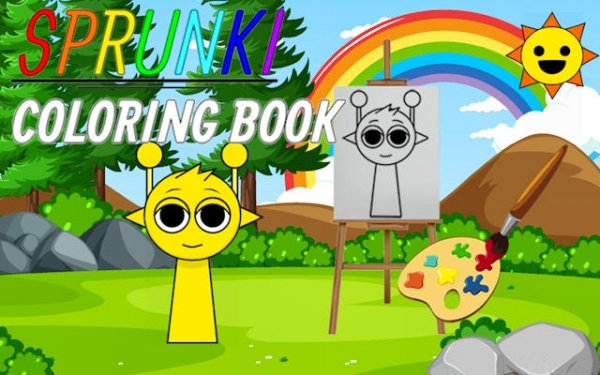
Upon entering the studio, visitors select from a rotating collection of line art. Each page presents a different scene or character, drawn with clean outlines that invite personal interpretation. The interface stays out of the way, letting the creative process take center stage.

Tools for Every Style

A full spectrum of hues sits at the ready, alongside a brush for precise strokes and a fill bucket for covering larger areas quickly. An undo button offers freedom to experiment without worry. The controls respond smoothly on both desktop and mobile browsers.

Creating at Your Own Pace

There are no clocks ticking or scores to chase. This design encourages slow, mindful attention to each section of the image. Players can pause, walk away, and return later to continue exactly where they left off.

Building a Personal Gallery

Finished pieces can be saved to a private collection within the application. From there, they can be shared with family or kept as a personal record of creative growth. The gallery becomes a visual diary of moods and ideas over time.

Fresh Artwork Arrives Regularly

The library of available pages expands on an ongoing basis. New themes and characters appear without requiring any additional purchase or download. This steady flow of content keeps the experience engaging across many sessions.

✅ Compatibility & Testing

• Desktop (Windows 11, macOS Ventura)
• Mobile (iPhone 14, Samsung Galaxy S23)
• Tablet (iPad Pro, Android tablet)
✅Supported browsers: Chrome, Safari, Edge, Firefox (latest versions)
❌ Not supported: Internet Explorer, older browser versions

Comments

0 comments
U
User
Loading comments...